
How to Make Photo Cards Using Pickmonkey

For those of you not into the more costly option of creating and ordering photo cards from a company such as Vistaprint, Shutterfly or even Costco, I have a solution for you! You can create custom, cute photo cards for any occasion using PicMonkey! I’ll even let you in on a secret I know about how to get some printed absolutely free!
First things first, I’m going to do a step by step tutorial, with pictures, so you can be on your way creating your own beautiful cards in no time. PicMonkey is really quite easy to use! Here’s how to make photo cards using PicMonkey:
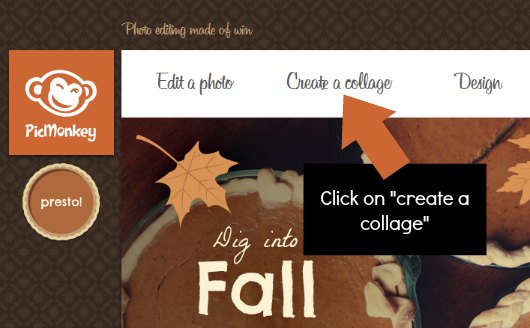
Step 1: Head over to PicMonkey and click on “Create a collage”.
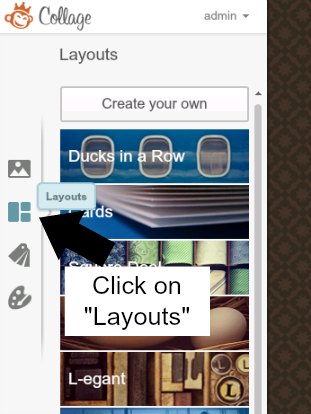
Step 2: Click on Layouts on the left side of the page.
Step 3: Choose a layout from “cards” . I recommend 5×7 for the cheapest option when it comes to getting your cards printed.

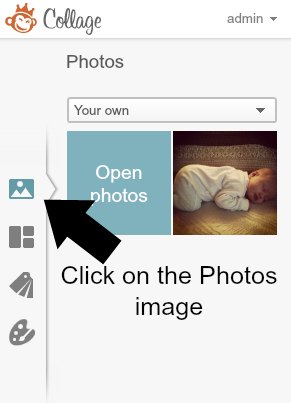
Step 4: Once you’ve chosen the layout you like most, click on the Photos image as shown in the picture below. Click on Open Photos to choose the picture(s) you want to use for your card. I chose only one image for my example.
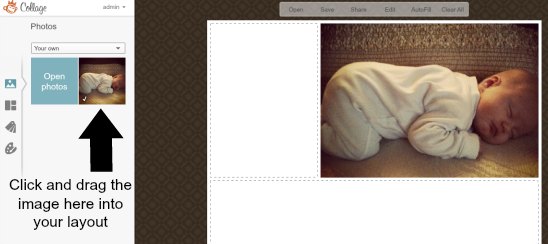
Step 5: Click and drag your picture(s) into the layout where you think it would work best.
Step 6: Click on the Swatches image to choose some patterns to match your photo(s).
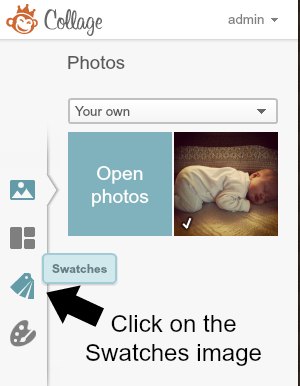
Step 7: Drag and drop the swatches you like best with your photo into the remaining spots in the layout.

Step 8: Next, click on Edit at the top of the page to add text to your layout.

Step 9: Click on the Add Text button as shown above.
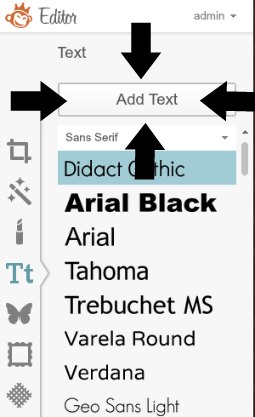
Step 10: Place the text box where you want the text to appear. Add in your details and play with the font type until you find something you love.
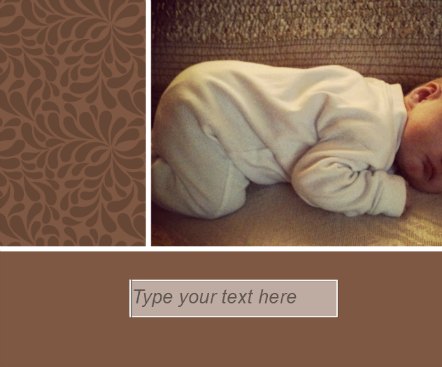
Finally, you have a finished photo collage:
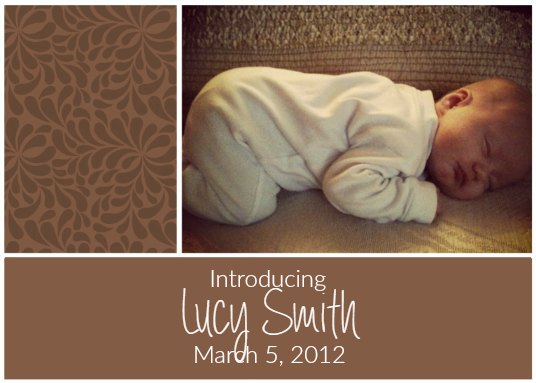
Don’t forget to save it as a JPEG on your computer!
Here’s the secret to getting FREE photo cards:
Shutterfly offers 50 Free prints to new customers as well as Snapfish who offers 20 Free prints to new members! Simply upload the JPEG of the collage you created in PicMonkey to your desired retailer. Order the 4×6 size (because they’re free) or the 5×7 if you want a larger size (but not free).
